hello all !
recently i've brought a hosting service for my new website. so maybe all content in this blog will be moved there..
be sure to visit it when it is finished at
http://www.yudhiagus.com
Thursday, April 18, 2013

Saturday, July 21, 2012
Wicd Applet in Backtrack
All of you who had installed backtrack would notice that at default wicd network manager applet won't shown in the panel. Well this won't affect the stability of the system but it would be quite annoying when you have to open it from the main menu everytime you want to connect to a WiFi network.
Follow this steps to fix it.
- Click System > Preferences > Startup Application

Friday, July 6, 2012
Critical System Files
Here are some critical system files that must be protected by applying correct file permission. Applying wrong file permission may result in complete system takeover by the hacker/cracker.
 |
| image source : www.linuxsecurity.com |
"the quiter you become, the more you are able to hear.."
Thursday, May 3, 2012
Security and Attacking Seminar with Onno W. Purbo
Yay, finally Mr. Onno W. Purbo will come to my university to give a seminar about Information Security. Mr Onno W. Purbo is a well known IT Expert in Indonesia. He is an expert that can make something about IT that actually is difficult to be understood become very-very easy to be understood even for beginners. More interesting thing, anything he is talking is about OpenSource. I can say that he's the father of OpenSource in Indonesia. More info about Mr. Onno W. Purbo can be found in wikipedia.


Wednesday, May 2, 2012
Hex Generator
Finding bad character when developing an exploit is important to make the exploit works properly as we want. In my post about searching bad character I used a perl script to generate a series of hex character start from 00 to FF. Here's other script used to generate it. I found the script at this site. It is written in python language.

Download here.
Download here.
Script:
"the quieter you become, the more you are able to hear.."
Tuesday, May 1, 2012
Metasploit ~ Upgrade Command Shell into Meterpreter

As I said in my post about meterpreter. It is an advanced payload that can do a lot of advanced task after a system is exploited. But why if we can only get a normal command shell after exploitation? Its rather difficult of course to do the post exploitation step. But that doesn't matter now, because one of the newer features in the Metasploit Framework is its ability to upgrade a command shell payload to a Meterpreter shell payload once the sytem has been exploited. This can be done by issuing "sessions -u <selected session>". This is usefull if we use a command shell payload as an initial stager and then find that this newly exploited system would make the perfect launching pad for further attacks.
Ok, let get started. I'll use a metasploit console version and the system that will be exploited is a Windows XP SP3 machine in my Virtualbox.
Wednesday, April 25, 2012
Upgrading to BackTrack 5 R2
A while ago, the best linux pentesting distribution, "BackTrack" had released its update that is BackTrack 5 R2.

With a new 3.2.6 kernel, a huge list of new and updated tools and security fixes, BackTrack 5 R2 will provide a more stable and complete penetration testing environment than ever before. For you who doesn't want to reinstall your backtrack to get the R2. You can perform these steps to upgrade your Backtrack 5 R1 to R2.
Sunday, March 25, 2012
Digital Forensic Analysis
After a week of hibernation, its time to move again.. >:)
So, in this post I'll try to perform a simple digital forensic analysis on an image of a floppy disk. You can download it here :
I use Backtrack OS in this post, because in Linux, there are some basic forensic analysis tools that have been already included.

BASIC LINUX FORENSIC TOOLS
As I told before, linux have been integrated with some basic forensic analysis tools such as :
Sunday, March 18, 2012
MP3 File Structure
File structure is something that make up a file. File is the smaller form of a filesystem. A file can't be called "file" when it is not structured. Structure of a file is important to make that file readable because when it is not properly structurized I bet the system won't be able to read it. And I think there's also a standarization of a file structure, so a pdf file named A will have the same structure as the B,C,D or the other pdf files. The file structure of each filetype is also different. An .avi files will have different file structure with a .doc file.
In this post I'll try to explain about the structure of an mp3 file. :)

Who don't know MP3? MP3 or to be more specific, MPEG-1 or MPEG-2 Audio Layer III, is a patented digital audio encoding format using a form of lossy data compression. It is a common digital audio format used widely in the world. When we talk about mp3, it cannot detached from music. I think everyday we always listen to music. And I think you already know, most of the music is encoded with this format.
The Magic Number

Hoho, In this post I'll explain a thing called "Magic Number". Can you guess already what it is? Some kind of number that have a magical spell in it? some kind of magic trick that use numbers as its media? or the others?
Unfortunately, "magic number" in this post is not a thing related to magic itself literally. This magic number is a thing related about a file format. Originally, this kind of term was used for a specific set of 2-byte identifiers at the beginning of a file, but since any undecoded binary sequence can be regarded as a number, any feature of a file format which uniquely distinguishes it can be used for identification. Identify what? to identify a file format of course.
What is Unallocated Space?

When you're installing an operating system on a new harddisk, do you notice that the installer said that our disk status is Unallocated? Or when you want to divide a harddisk into two or more partition, after the split the newly created partition also in the "Unallocated" status. So what is this unallocated called thing?
Unallocated space, or in the other word "free space", is logical space on a hard drive that can be used by the system to put files on. Unallocated space is the opposite of "allocated" space, which means a place on the hard drive where there's already files written or stored in it. Unallocated space is different from Slack space. The difference, in the unallocated space the system can put files in it, where in the slack space the system can't put any files in it. Simple right? :)
Saturday, March 17, 2012
Slack Space
Again, in this post I'll try to explain a thing that related to Computer Digital Forensic that is Slack Space.
In a Storage Device when a file is saved, it is stored in the beginning of a cluster. Cluster itself is like a directory in the storage. It consist of some sectors. Imagine a House fully contained with 50 cupboards that have 4 drawers each..
Get it? :D
Lets say that this house is the harddisk, the cupboards is the cluster, while the drawers on each cupboard is the sector. So, we can say that this harddisk have 50 cluster and 4 sector on each cluster.
cmiiw.. :)
Get it? :D
Lets say that this house is the harddisk, the cupboards is the cluster, while the drawers on each cupboard is the sector. So, we can say that this harddisk have 50 cluster and 4 sector on each cluster.
cmiiw.. :)

Thursday, March 15, 2012
File System at Glance
When we want to learn about Computer Forensic, File System can't be excluded from our learning material. So, in this post I'll explain a little about File System.

File system is a method, how to deal with files on a computer. How the data organized, stored, updated, modified, as well as manage the available free space on the storage media. The type of a hardware filesystem is usually adjusted with the characteristics of the storage device. So, the filesystem of the Harddisk is usually different with the filesystem of a Flashdisk or a Floppydisk. Another adjustment is including an Operating System as its parameter. Windows filesystem (which usually is FAT or NTFS), is different with Linux filesystem (ext2,ext3,ext4), as well as Mac filesystem. Still, nowadays an Operating System able to use more than one filesystem.
Wednesday, March 14, 2012
MBR ~ Master Boot Record

Computer Forensic mostly dealing with a storage device like Flashdisk, Harddisk, CD, DVD, RAM, etc. There are two type of storage, volatile and non volatile. Dealing with volatile storage device like RAM is more difficult because when the Computer is turned off, the data inside will disappear and some evidence maybe would lost too. Dealing with non volatile memory like Flashdisk or Harddisk isn't easy too. False method will make an evidence found on the memory won't be valid anymore.
In the Harddisk, there is something called MBR or Master Boot Record. MBR contain a series of code which make the harddisk can boot the system. IBM is the one who make it well known by the world. Usually, MBR located in the first sector of the Harddisk. Some of MBR task are :
1. Record the partition table on the system, which contains the details of the partition of a storage device on the system.
2. Bootstrapping an operating system.
3. Identify individual storage media.
Monday, March 5, 2012
Advanced Web Application Hacking
Nowadays, most people especially engineers have a website. They usually use it to share their activity, show their works, make a portofolio, etc. But, little people concern about the security of their website. They usually won't do something about the security of their website before it is attacked by hacker. They don't know the importance of their web security before someone breaks into it.
In this post, I'll try to show how to gain a root access through a web application. There are a lot of method to do that, this is one of them. The web application that will be used is DVWA(Damn Vulnerable Web Application). You can download it here. The installation is there too.
- Start up your apache and mysql.

Wednesday, February 29, 2012
Interact With Metsvc Backdoor

To interact with the meterpreter backdoor service we've created before, we can use a multi_handler with a windows/metsvc_bind_tcp payload to connect with the backdoor.
To remind you again, this backdoor require no authentication to connect. So it is a dangerous backdoor to use since anyone can use it too.
Ok, here's a way to connect to the metsvc backdoor we've created before.
- Load up your msfconsole

Meterpreter Backdoor
Again, meterpreter is the most convenient payload to use. Part of the hacking framework is creating a backdoor for later use so we don't need to go through normal attack to access the system again. Meterpreter can make a backdoor on a system that we've successfully exploit. Make us can get a meterpreter shell anytime we want. Cool right.. :D

There's a module called "metsvc" that will create a persistent backdoor on a system. This module is created by Alexander Sotirov. Read more here http://www.phreedom.org/software/metsvc/. One thing to keep in mind, metsvc requires no authentication. This means anyone can access our backdoor if they know the port that we use. This is not a good thing if you are performing a real pentest.
Meterpreter ~ Basic Usage
Here's some basic meterpreter commands you can practice.. :)
- help
Display all commands that can be executed by meterpreter.

- background
Return to the msf shell and send the current meterpreter session into background. To interact with it again, just type 'sessions -i [id]'
Meterpreter
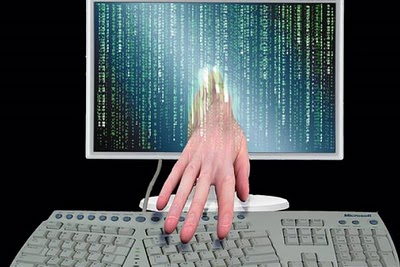
Meterpreter (meta-interpreter), is an advanced payload included in the Metasploit Framework. In my opinion this is the best payload ever. It can upload/download victim's files, read stored password hashes, keylogging, and even run a vnc server on the victim's machine.
Meterpreter compatible with most of the exploit and auxiliary on metasploit. Making it the most sophisticated and the most used payload by pentesters and hackers. The way that it accomplishes this is by allowing exploit developers to write their own extensions in the form of shared object (DLL) files that can be uploaded and injected into a running process on a target computer after exploitation has occurred.
Monday, February 27, 2012
Exploit Combo ~ BeeF & Metasploit
Exploitation is so much fun and exciting for me.. :D

In this post I'll try to combine BeeF and Metasploit to create an Attack. BeeF, browser exploitation framework is a great tool to exploit the XSS Vulnerability on a site. My target for the attack is still my XP SP3 Machine.
Lets get started.. >:)
- First, start your BeeF-ng services..


